Spyro

[LiDAX Ultra 1000 AWD] 'Path blocked' - No, it's not!

Dieses Thema wurde zuletzt von Spyro am 2026-4-4 12:04 bearbeitet

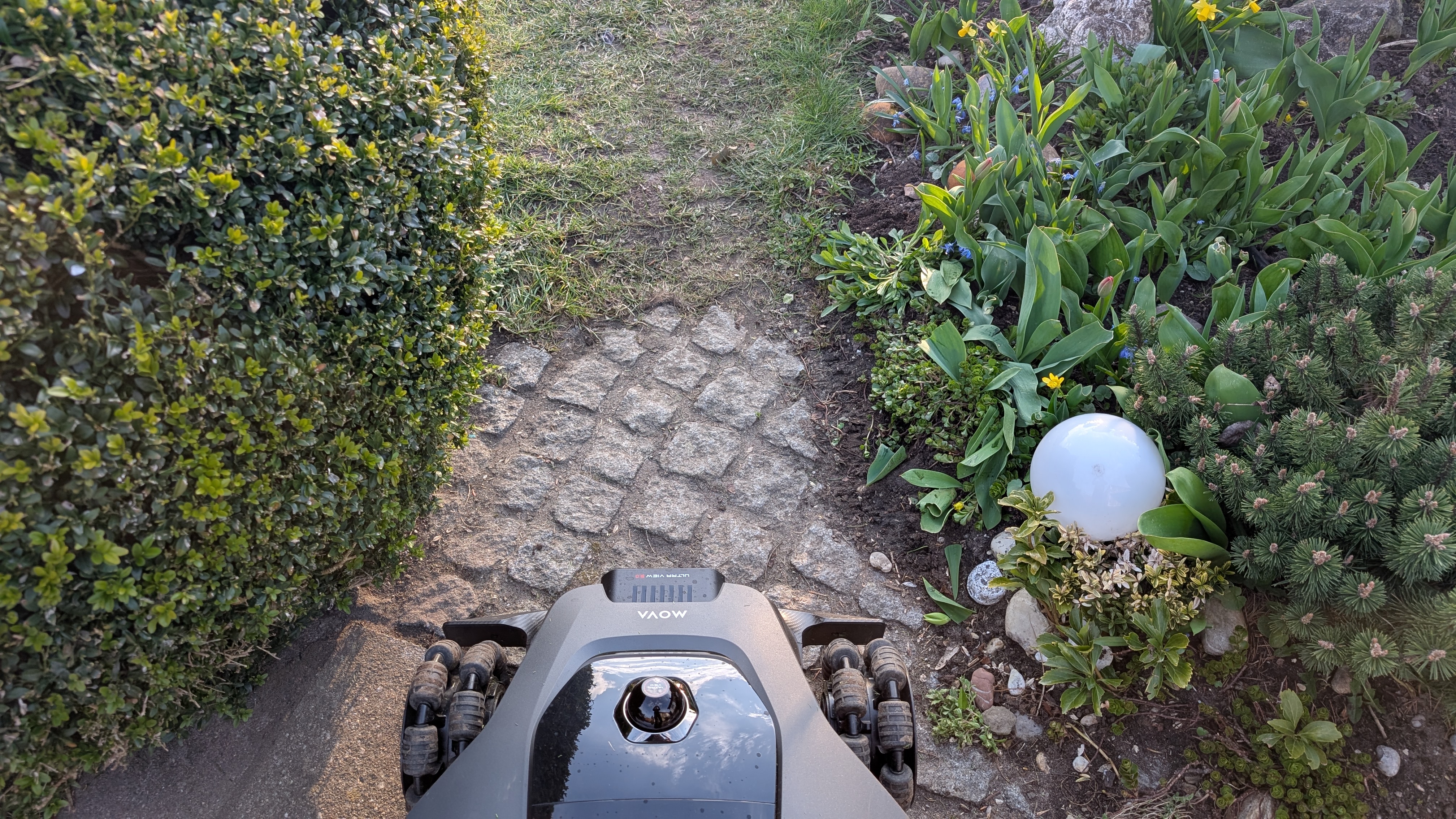
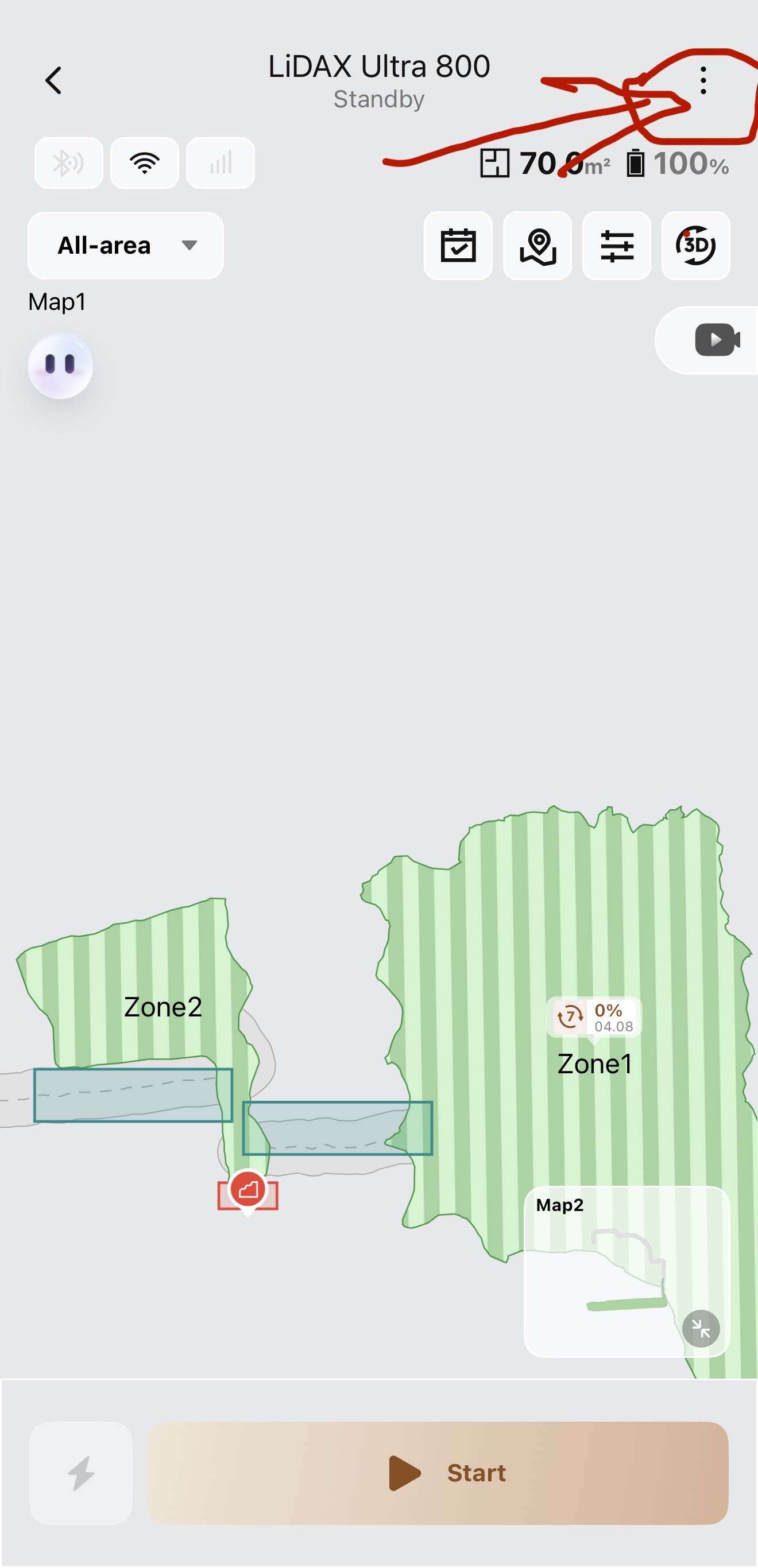
I created a narrow path to connect two zones. Robot has a few cm room on both sides. But even 2 minutes after creating the path, the robot just refuses to continue driving through.

Yes, it's narrow, but come one, this should not be a problem, I manually controlled him through, everything ok. It would be also ok to touch the bush a little bit, it's not holy or something! Do it!

How can I make this guy just drive through this open space? It worked a few times but now I have to manually control him through each time, which not even works via WiFi, so I also have to get out and stand right next to him because the app INSISTS on Bluetooth
Übersetzen
Sie müssen sich anmelden, um antworten zu können Anmelden | Register

8 Kommentar

Hello,

currently, according to the system design, the robot can pass through narrow corridors reliably only when the width exceeds approximately 1 meter. If the corridor is too narrow, the robot may actively stop and decide not to proceed due to its obstacle‑avoidance and safety algorithms.

We recommend trying the following to improve the experience:

Widen the connecting corridor (ideally ≥ 1 meter).
Check whether there are elements on both sides of the corridor that may be detected as obstacles, such as bushes or irregular edges.

Regarding the Bluetooth manual control issue you mentioned, we have already recorded this feedback and will forward it to our product and development teams for consideration in future navigation optimizations.

Thank you very much for your support and understanding.
2026-4-6 06:17:22 DE Übersetzen

Seriously, just let me mark the bush as "soft obstacle" or however you want to call it. As the mover is only about 55-60 cm wide, it does not even NEED to be touched but even that would be ok.
 
2026-4-6 12:16 DE Übersetzen
>can pass through narrow corridors reliably only when the width exceeds approximately 1 meter So this is what two cameras and a 360° LIDAR / "Ultra View 3.0" are cabable off? ;)
 
2026-4-6 12:14 DE Übersetzen
Hello, we sincerely apologize for the inconvenience caused.

We understand your expectations regarding the device’s pass‑through capability in relation to its hardware configuration, especially in practical scenarios involving narrow passages and the identification of “soft obstacles.” Your suggestion to allow objects such as bushes to be marked as slightly touchable or classified as “soft obstacles” is very constructive and helpful.

We have carefully documented your feedback and will pass it on to our product and R&D teams as an important reference for future optimization and feature evaluation. Thank you very much for your understanding and support.
IMG_7691.jpg
IMG_7692.jpg
IMG_7693.jpg
Dieses Thema wurde zuletzt von SH759517 am 2026-4-9 01:49 bearbeitet

Hi Spyro,
i encountered a similar situation... my mova refused passing pathways that were a litle narrow.
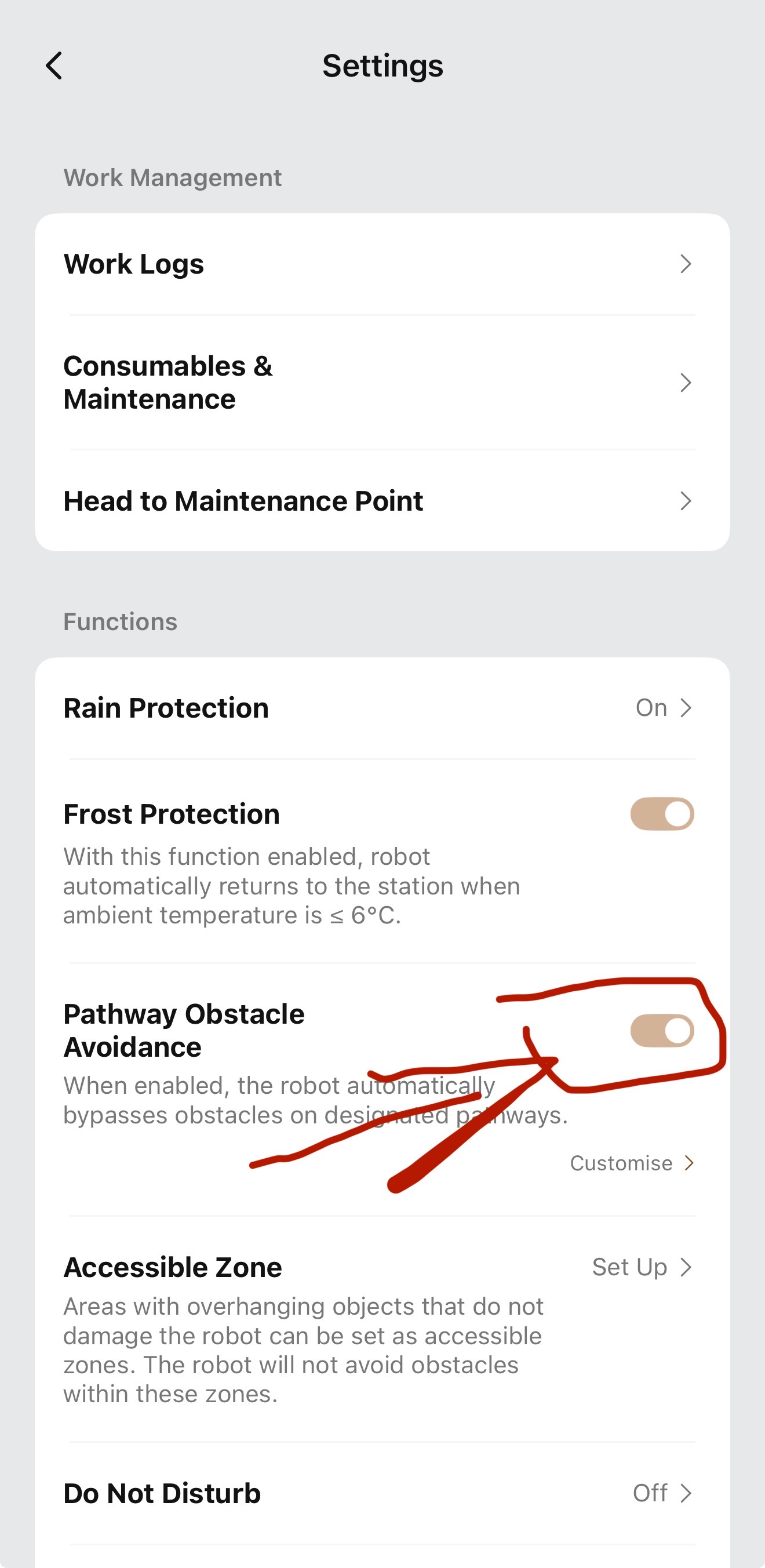
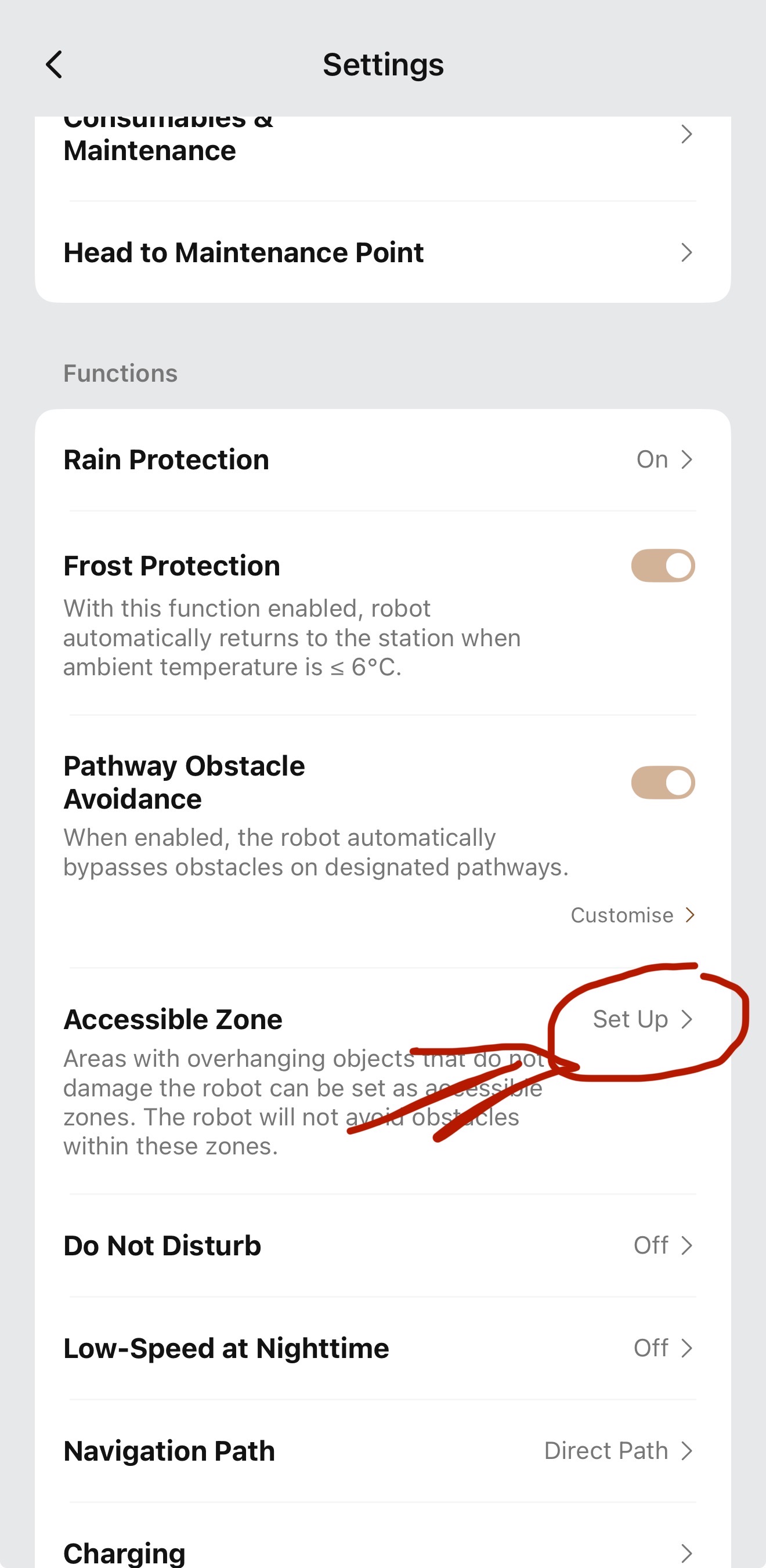
Have you tried avoiding obstacles on pathways and set up accessible zones, haven't you?
For me it worked like:
- Open the map
- click on Settings at the top right corner (3 dots)
- enable the option "pathway obstacles avoidance"
- enable the option "accessible zones" and go ahead with the setup
Would be happy to hear back if it worked.
SpyroThemenstarter
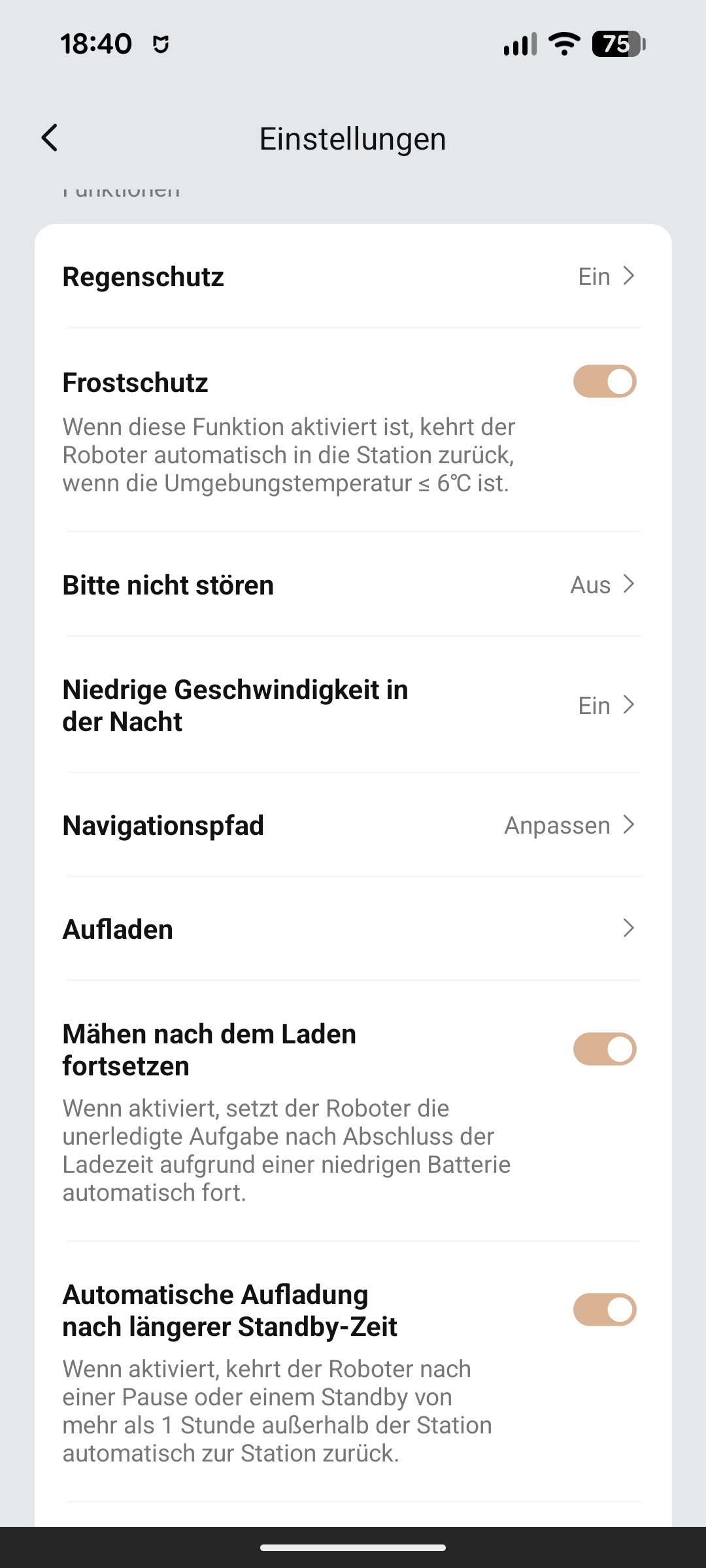
Hi there, thank you, but these settings do not exist on the AWD models, no idea why.
SpyroThemenstarter
1000054360.png
Settings for AWD
2026-4-11 17:41:28 DE Übersetzen

Could Mova Support please explain why these options do not exists on the AWD models?
 
2026-4-13 07:30 DE Übersetzen
UID:ZL913376 DE
  • 135Beiträge
  • 0QQ-Freunde
AGB|Datenschutzerklärung

© 2026 MOVA Forum All Rights Reserved | Support by Discuz! X5.0 Font by MiSans

Schnellantwort Nach oben Zurück zur Liste