|
Hello dear user,
Please refer to the following instructions for your usage scenario:
If the robot can **reach and move between different areas on its own**, you can use the **“Create Path”** function in the app to connect these areas and combine them into one single map.
However, if the areas are **completely separated** and cannot be crossed autonomously by the robot — such as by steps or closed passageways — they currently **cannot be merged into one map**. In this case, we recommend creating a second map. This mower supports creating and managing up to two maps in total.
If physical obstacles between your front yard and backyard prevent the robot from navigating freely by itself:
You can first create a map for your **front yard**. Then move the charging station to your backyard, or use an additional separate MOVA charging station.
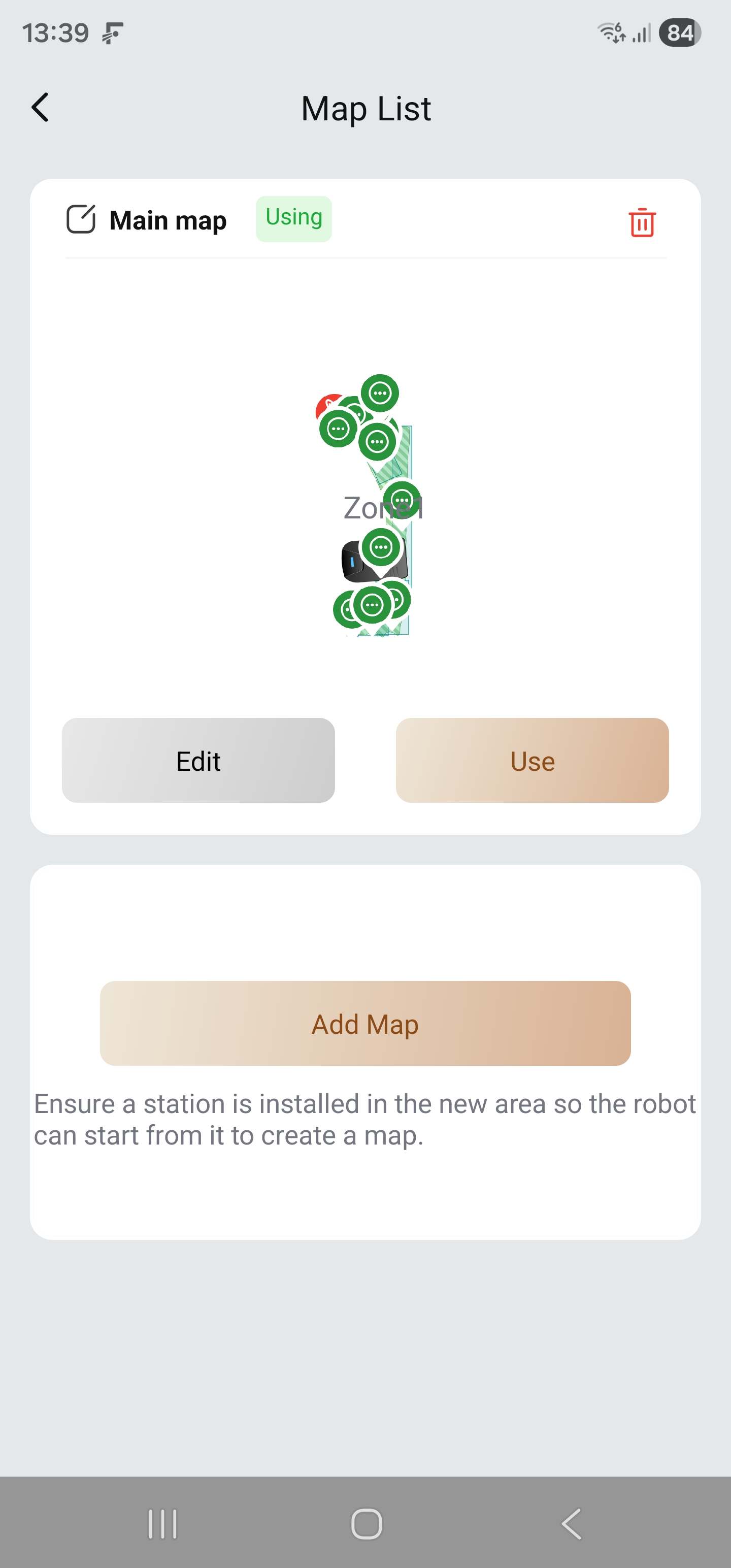
In the map editing page of the app, select **“Add Map”** to create a second map for your backyard. The process is exactly the same as creating the first map.
Please note that the robot can store a maximum of two maps. When switching between maps, you need to place the charging station at the correct location corresponding to the selected map.
At the moment, there is no simpler way to map completely separated areas on one single map other than temporarily moving the charging station or installing ramps. We sincerely apologize for any inconvenience this may cause.
We hope the above information is helpful to you. | 

 NL
NL


 8032
8032