EE706754

[MOVA ViAX 250] Cutting edges

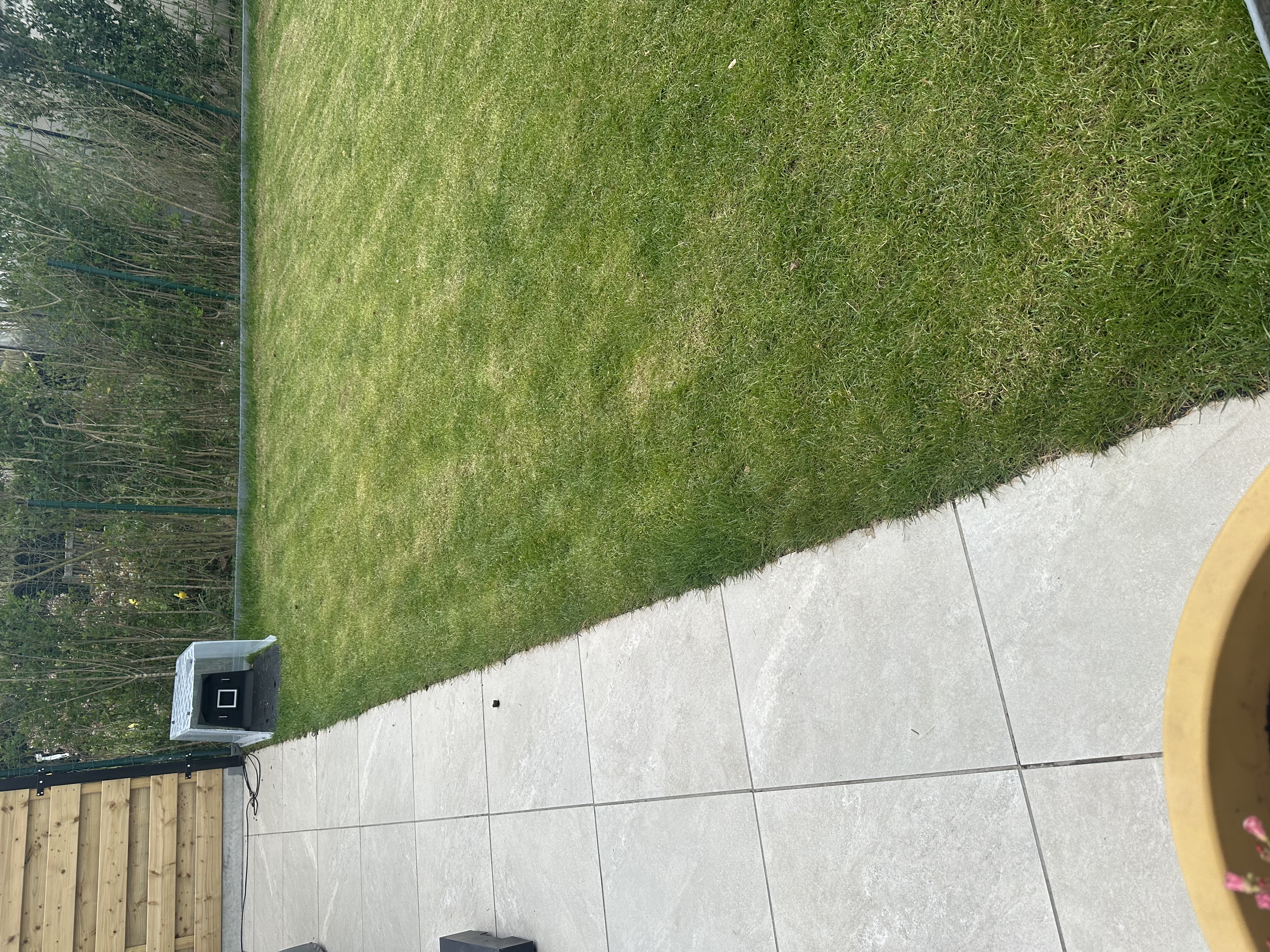
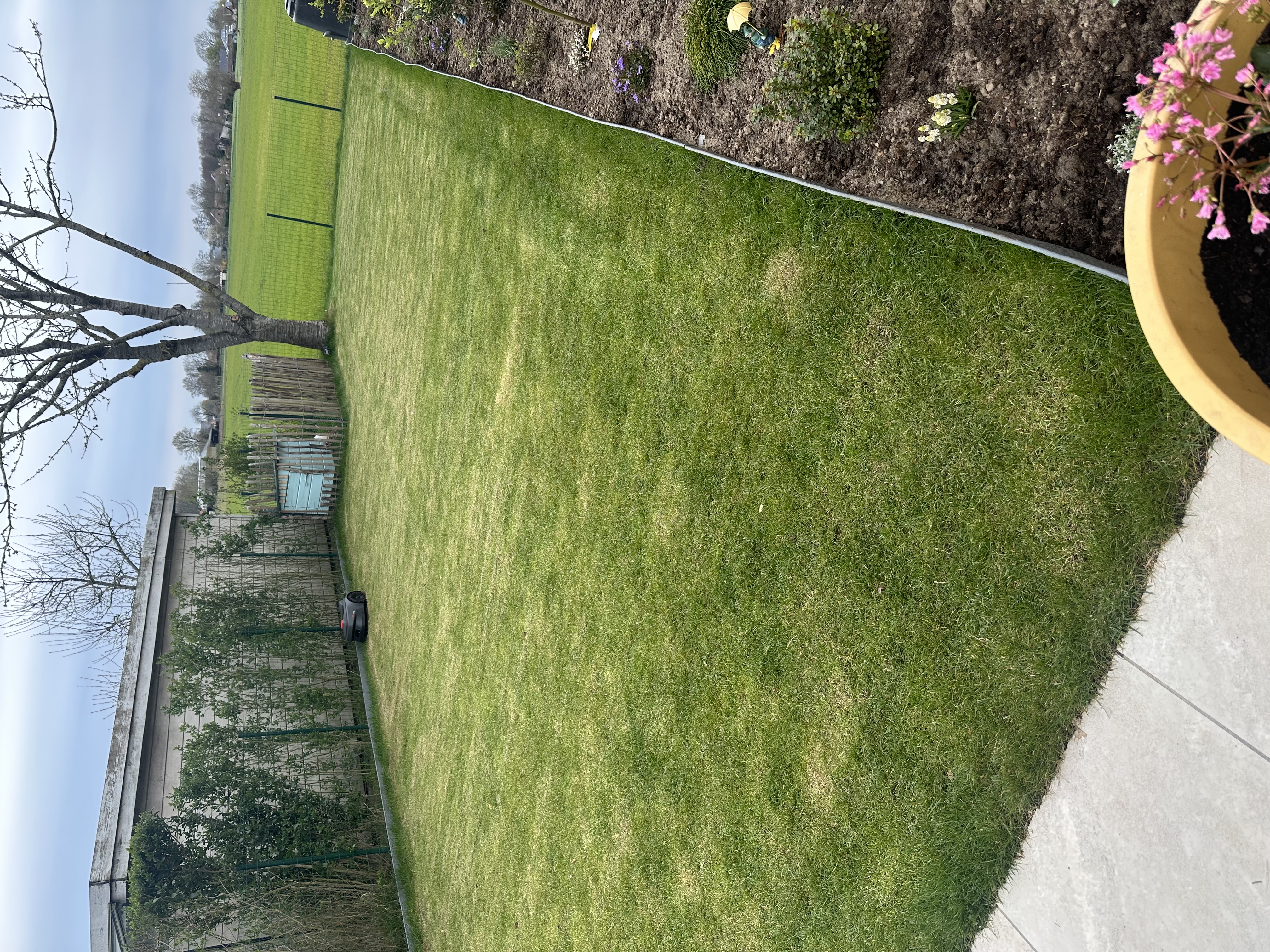
I’ve started using my new Mova Viax 250, and I’m loving it. But I have issues with my edges (refer to picture below)

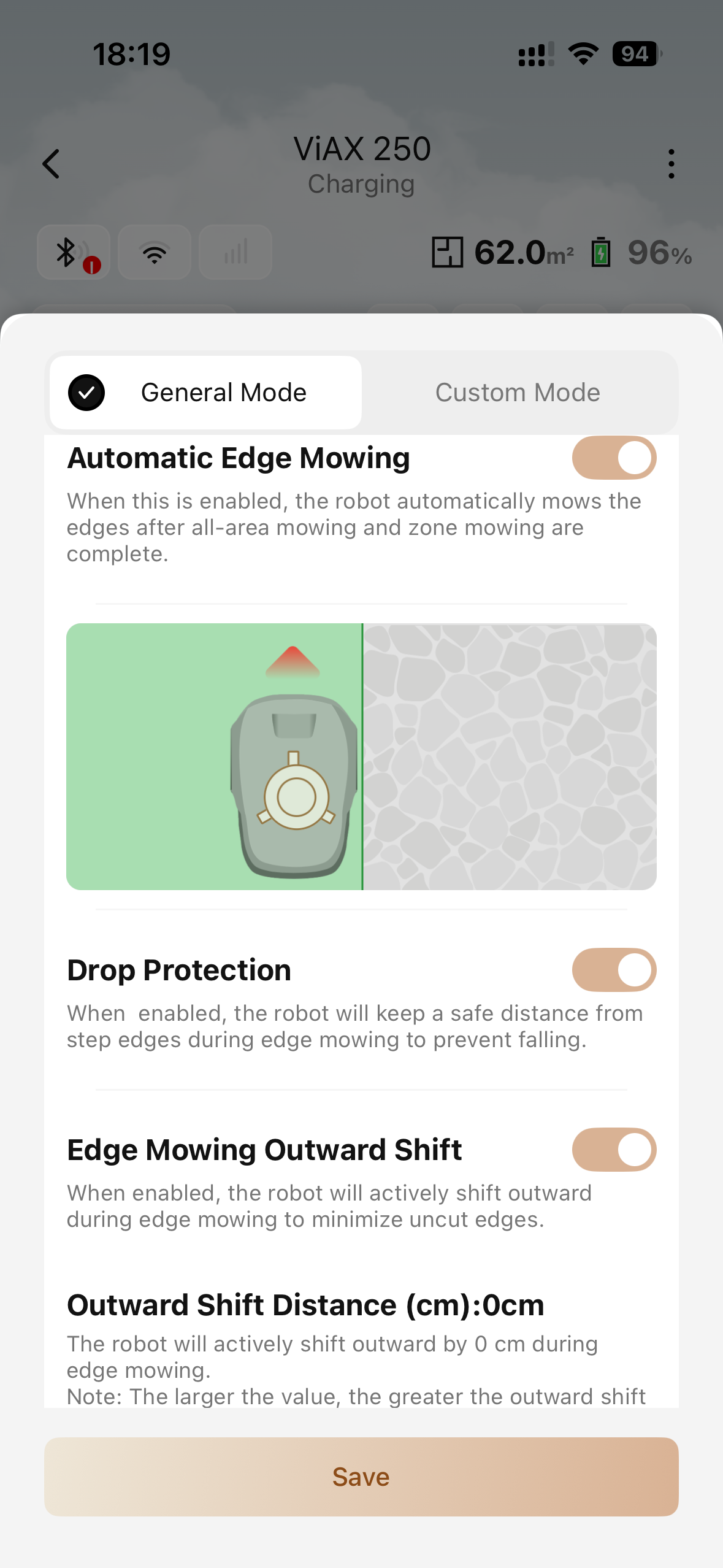
At the moment I have the automatic egde mowing enabled but the outward shift set to zero. This is the normal setting because it is a saver option when I’m not home.

As you can see on the picture wheb the outward shift is set to zero it still leaves like 15-20cm from the border.

Is there a way to set up a profile of the same area so when I’m home I can set my outward shift to like 5/10 cm to try to minialize my edge?

Or is it possible to selected certain edges to have different setting?

I think this would be a great feature to have different setting for different edges

Translate
You need to log in to reply. Login | Register

1 Comment

Hello,

For safety reasons, the robot will normally leave a margin of grass along the edges, and it is expected that about 20 cm may remain uncut near borders. This behavior is designed to reduce the risk of collisions or boundary issues.

You may try the following settings to improve edge cutting results:
1. You can set obstacles or border areas as no‑go zones. When performing edge mowing, the robot will mow along the boundary of the no‑go zone, which helps reduce uncut grass near edges.

2. In the app, you can choose not to enable obstacle avoidance for specific areas or edges, or manually define non‑avoidance zones on the map. In these areas, the robot will not actively detect obstacles, which can help ensure more thorough mowing along the edges.

We hope these adjustments help improve your edge mowing experience.
2026-3-29 11:48:38 GB Translate

UID:EE706754
  • 1Posts
  • 0Friends
Privacy Policy|Software License and Service Agreement|DarkRoom

© 2026 MOVA Forum All Rights Reserved | Support by Discuz! X5.0 Font by MiSans

Quick Reply Back to Top Return to List