|
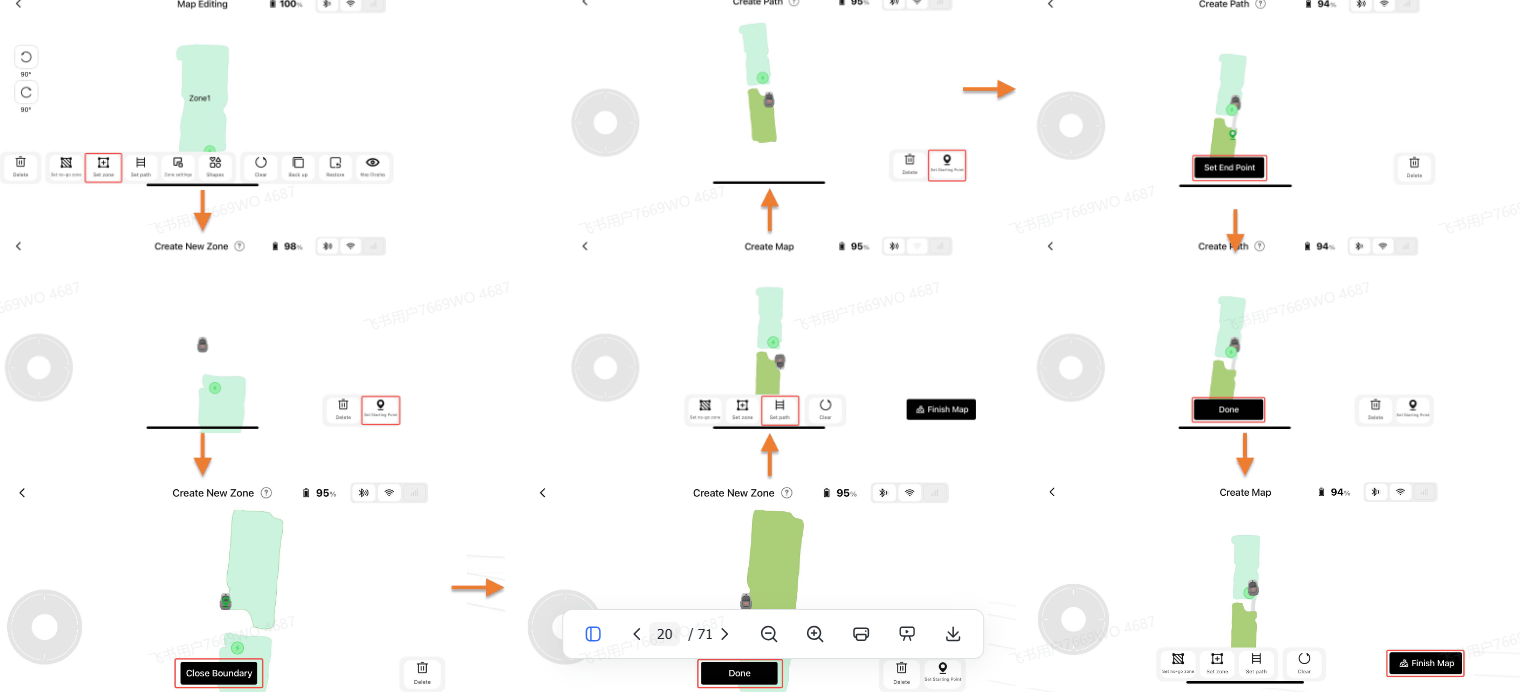
Hello, please try creating zones again following these steps:
①Make sure your phone is Bluetooth‑connected to the robot. Drive the robot from the charging base to the lawn edge of your new target zone, tap “Set start point” in the APP. Manually steer the robot all the way around the edge of this new zone; the APP will render the zone outline in real‑time.
②When the robot returns close to the starting point, tap “Close outline” in the APP and your new zone will be finished. You may keep adding more zones or exit the creation process.
Tips:
1. All zones need to be connected by passable paths.
2. Do not let new zones overlap with existing ones. Overlapped areas will automatically merge into one single zone. | 

 GB
GB


 583
583