DX665271

P10 Pro Ultra mopping problem

I have successfully mapped the entire first floor of my home.  Vacuuming entire home was also successful.  Trying to mop kitchen which completed about 2/3 of the area but refuses to mop the rest.  The missing 1/3 does have an area rug, but that is relatively small and at one end.  Tried setting up a zone of the desired area to mop but it still avoids mopping that same area.  What can be done?
Translate
You need to log in to reply. Login | Register

9 Comment

Good morning. According to your description, have you turned on the carpet avoidance function in the settings? When enabled, the robot will bypass rugs normally. You can turn this function off if you do not need it.
2026-7-31 07:04:23 GB Translate

DX665271Thread Starter
Hello.  I certainly don't want the robot to mop the area rug, but I would still expect it to mop the entire rest of the vinyl in the selected room.  What settings are appropriate to achieve this?
2026-7-31 19:06:09 GB Translate

德国用户分享设备.jpg
Good morning.
Please manually mark the rug as a carpet area in the map editing page of your APP. In the Carpet Settings menu, you can select the vacuum & Mop mode.
If your rug is a rubber mat and you want the robot to mop over it, you may check the Ignore option.Then run the kitchen mopping task again to check the robot’s performance.
If the issue still exists and the robot keeps skipping the remaining one-third area of the kitchen, kindly send us:
Actual photos of the uncleaned part of the kitchen;
A picture of the rug itself;
A screenshot of the marked carpet position on your APP map.
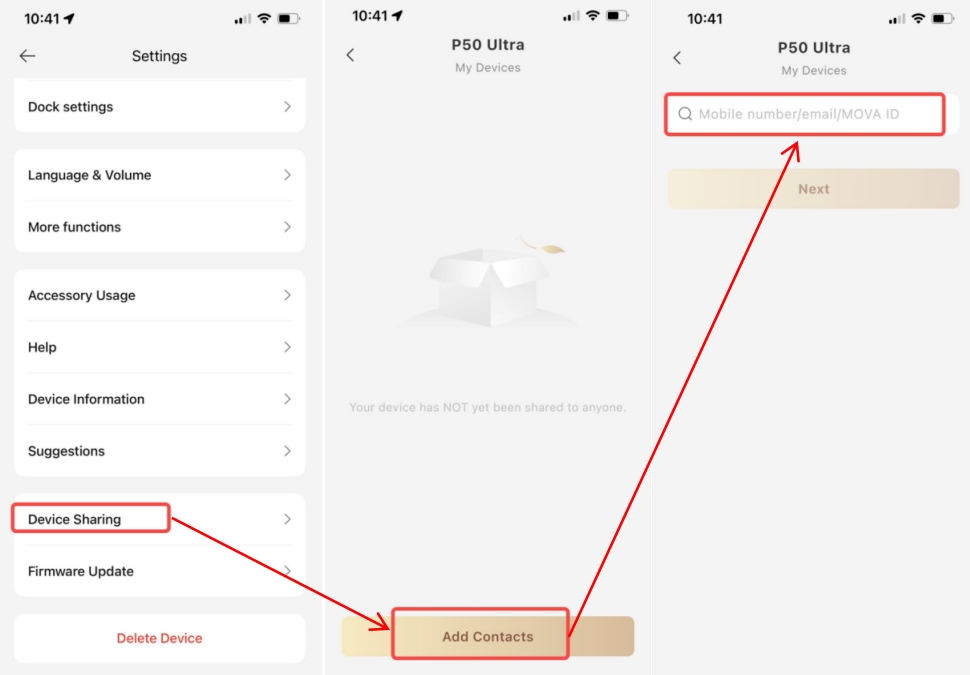
Also please share your device to the account ID: BD929781 and provide your robot SN number,If you are located in Europe.(If you are located in North America , please share your device to account ID: QR033438.
) Our technical team will access the backend operation data and running logs to analyze the root cause accurately. Looking forward to your reply.
DX665271Thread Starter
IMG_1854.png
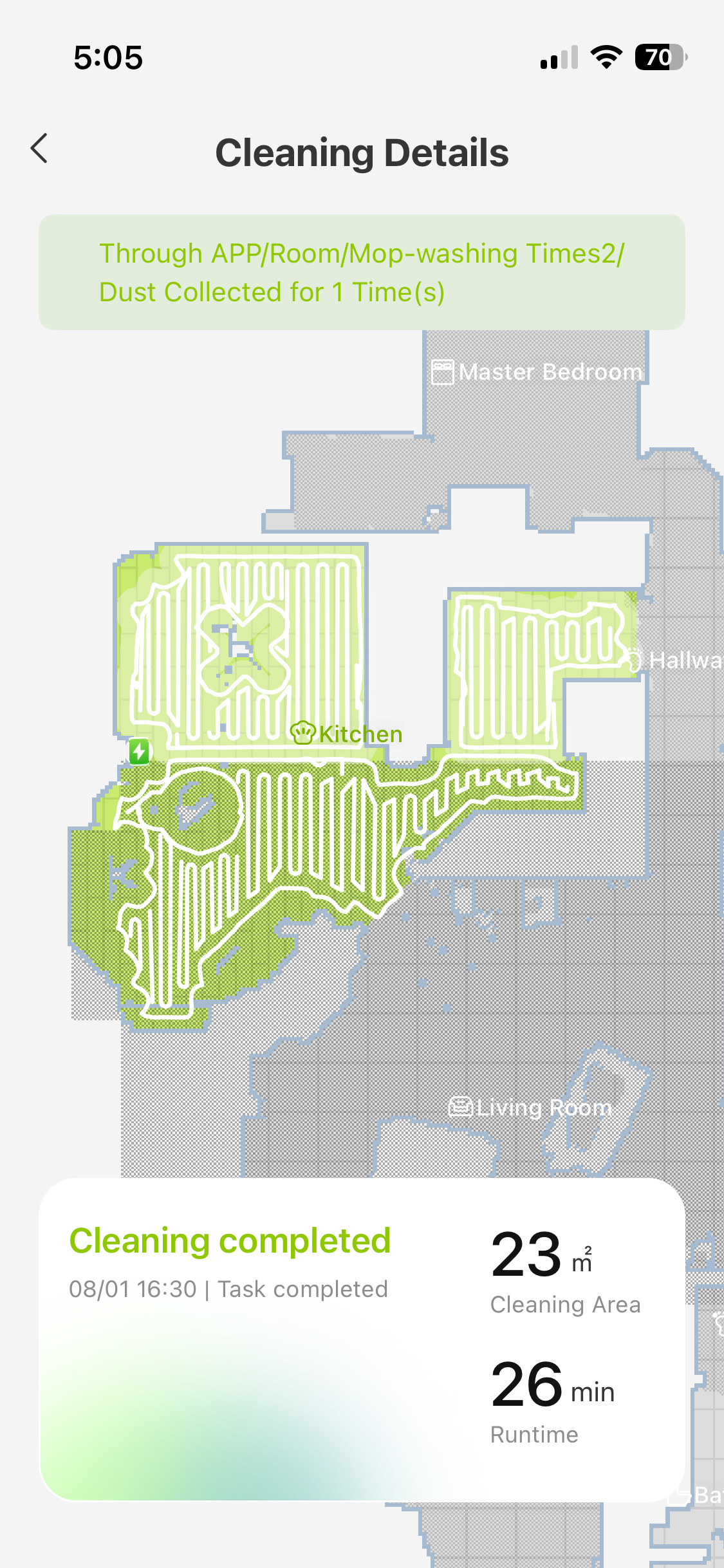
I could not figure out how to mark the rug as carpet.  I don't think it is the problem anyway.  I performed the vac and mop again.  It is clear that the device has divided the room into two parts along a perpendicular line out from the base.  It mopped to the right of the line, only vacuumed to the left of the line.  See screenshot of the resulting path.  I also have videos of the operation where you can see it mopping just up to the line but it looks like I cannot attach those here.

I shared the device to QR033438.
2026-8-1 23:40:33 GB Translate

Hello, thank you for the information you provided. Please try sending the video via private message. If you can tell us the exact time of the latest abnormal cleaning run, it will help us check the logs and find the cause of the issue.
 
2026-8-2 06:32 GB Translate
DX665271Thread Starter
I sent you the video and time of cleaning.  Please let me know what you find out.
2026-8-2 21:50:21 GB Translate

Thank you for all the information you provided. We have forwarded everything to our technical team for verification. Please keep an eye on our private message.
 
2026-8-3 03:40 GB Translate
屏幕截图 2026-08-03 161950.png
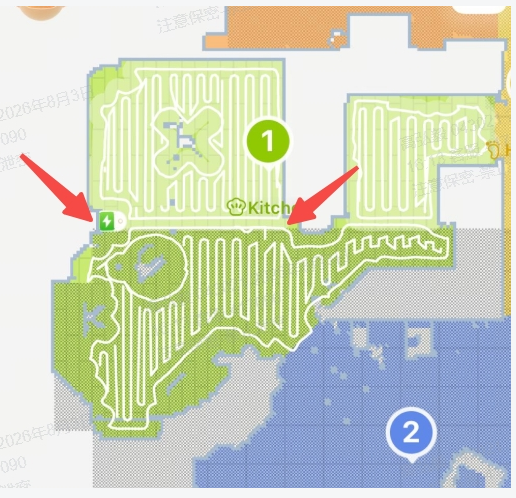
Hello, thank you for your patience. After analyzing your feedback and device logs, we have identified the cause:
The carpet area marked on the kitchen map is too large. After recognition by the robot, the area is divided by the base station, where mopping runs on one side and only vacuuming on the other.
Please go to Map Edit - Carpet Edit, shrink the marked carpet area according to your actual layout, and test the kitchen zone mopping task again. Feel free to message us if you encounter further issues.
2026-8-3 09:20:23 GB Translate

That solved the problem. Thank you. I do find your APP very confusing and not intuitive. Some of the tools appear to not work properly or maybe I just don't get it. Like the carpet edit. It looks like the icon on the upper right of the shaded area (curved arrow) is to rotate the shaded area. Instead it pans the entire map.
 
2026-8-5 18:27 GB Translate
UID:DX665271 GB
  • 5Posts
  • 0Friends

© 2026 MOVA Forum All Rights Reserved | Support by Discuz! X5.0 Font by MiSans

Quick Reply Back to Top Return to List