XR871393

Mova Viax 250

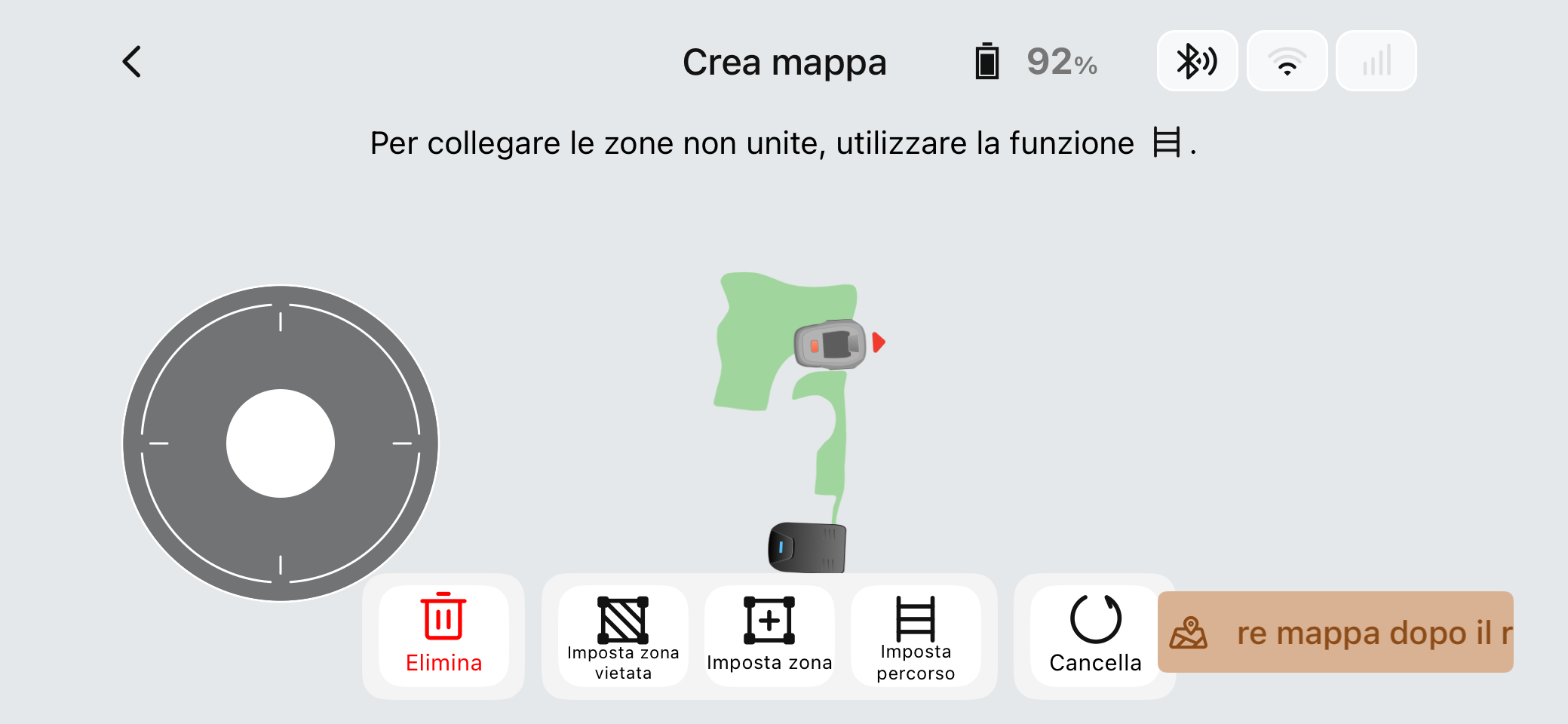
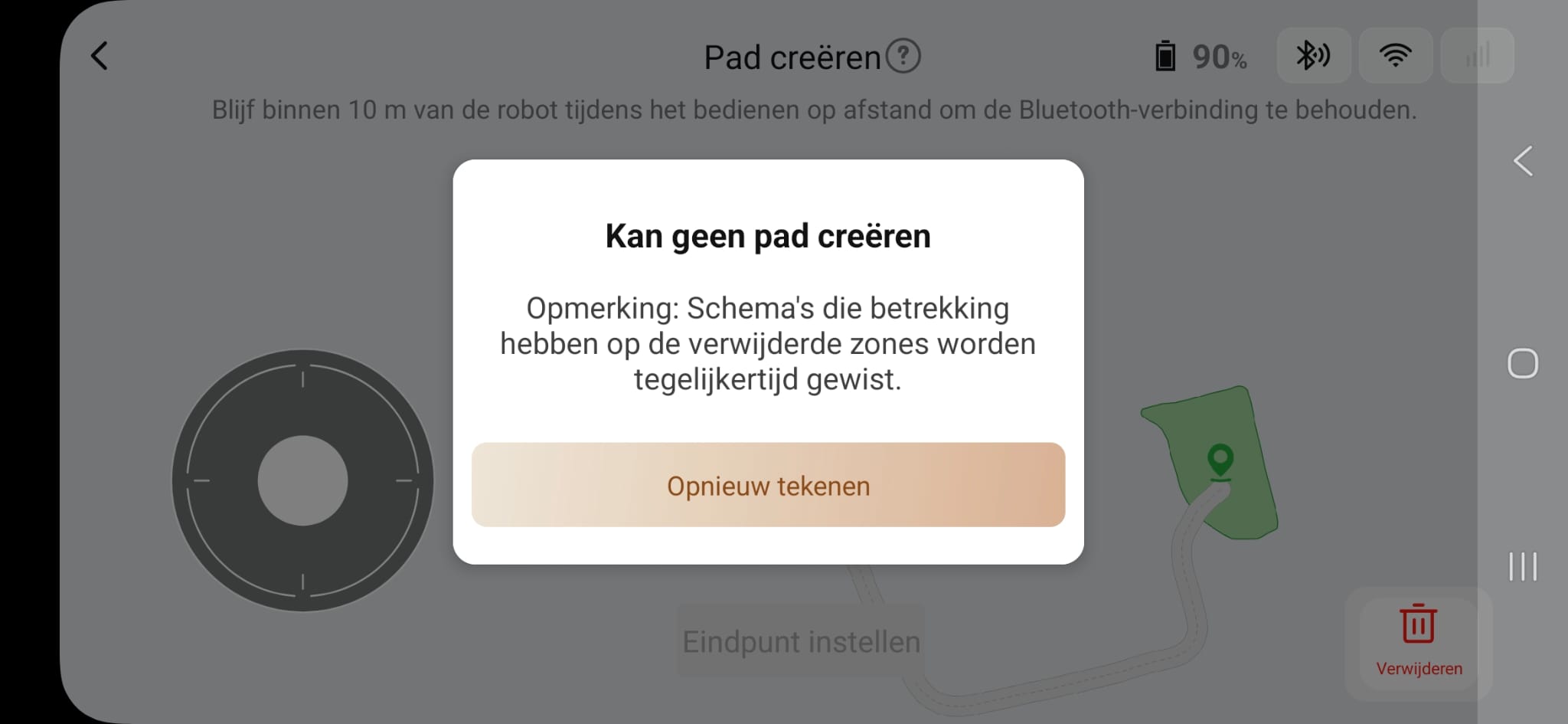
The robot do not create path between 2 zone any tips to follow to solve this issue and make it works?!
Translate
You need to log in to reply. Login | Register

10 Comment

Try to start a path more center of zone and mark end of path more center of other zone.
2026-3-2 19:23:42 GB Translate

Doesn’t work, the robot recognizes 3 zones instead of 2 and doesn’t create the passage
 
Doesn’t work, the robot recognizes 3 zones instead of 2 and doesn’t create the passage
 
Last edited by DAI YANG on 2026-3-3 07:32

To create a path, the starting point must be located inside the work zone and maintain a distance of at least 1 meter from the zone boundary.
2026-3-3 07:24:20 GB Translate

The issue is not the initial point but the end…
 
Hello,

Please refer to the instructions below to create a passage:

1.Make sure your phone is connected to the robot via Bluetooth. Remotely control the robot to move into one of the areas, then tap “Set Starting Point” in the app.After that, remotely control the robot to move to the edge of the other area.The outline of the passage being created will be displayed in the app.

2.When the robot moves into the other area, you can tap “Finish” in the app, and the passage will be successfully created.


Warm reminder:

1.When creating a passage, please make sure that both the starting point and ending point are within the working area, and at least 1 meter away from the boundary of the working area.

2.When the robot passes through the passage, it will only move and will not mow the lawn.

3.If your charging station is not within the working area, you can also create a connecting passage using the same method, so the robot can return to the base smoothly.
(The other end of the passage must be directly in front of the base station and within 0.5 meters of it.)
2026-3-3 08:01:58 GB Translate

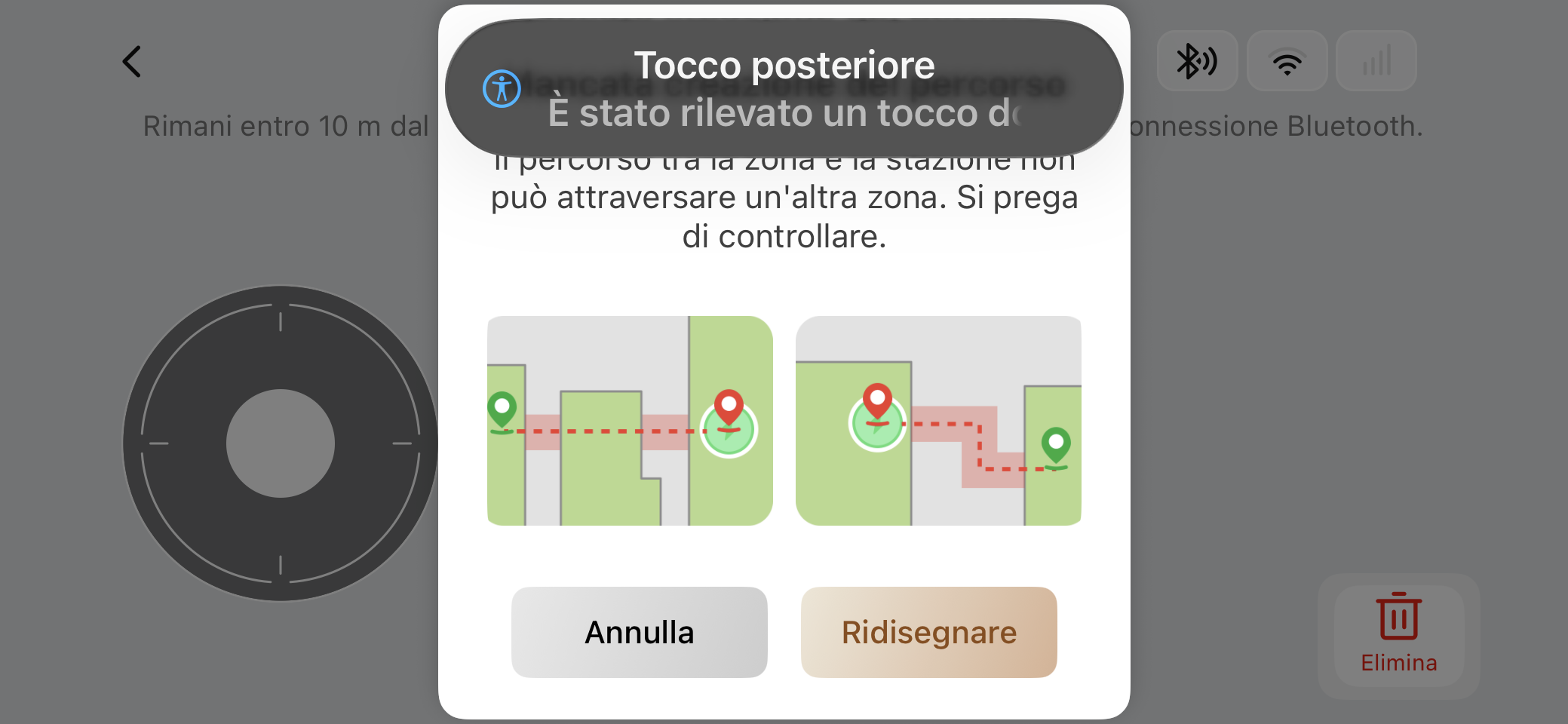
I did it, but the robot as you can see in the photo do not create the passage because records to go through 3 zone but I created 2…
This operation method is also incorrect. You can try to create a path between Area 1 and Area 2, and then create a path between Area 1 and the base station.
 
2026-3-4 02:20 GB Translate
I set the initial point in the area 2 and then I tried to create the passage setting the end in front of the base station but still continue to detect 3 areas…
 
I set the initial point in the area 2 and then I tried to create the passage setting the end in front of the base station but still continue to detect 3 areas…
 
I set the initial point in the area 2 and then I tried to create the passage setting the end in front of the base station but still continue to detect 3 areas…
 
Did you start from the base station as the starting point, pass through Area 1, and reach Area 2? This is also not allowed; only adjacent areas can create path.
 
2026-3-3 11:42 GB Translate
Could You explain with other words ... what is Your real challenge?
In the beginning, You wrote something clear ... but later, You've written something else.
Have You read carefully manual?
Have You tried to create path ... opposite direction too?
BOTH start and end points have to be far enough borders of zones.
(above snapshot shows that point is too near of border of zone)
2026-3-4 10:16:36 GB Translate

UID:XR871393
  • 8Posts
  • 0Friends
Privacy Policy|Software License and Service Agreement|DarkRoom

© 2026 MOVA Forum All Rights Reserved | Support by Discuz! X5.0 Font by MiSans

Quick Reply Back to Top Return to List